
This article also answers:
Is it possible to change the trial end date using the APIs?
-------------------------------------------------------------------
You can either extend or shorten the trial period for a subscription using the 'Edit Trial End Date' option in the web interface. Here’s how to do it:
1. Open the subscription for which you would want to change the trial period.
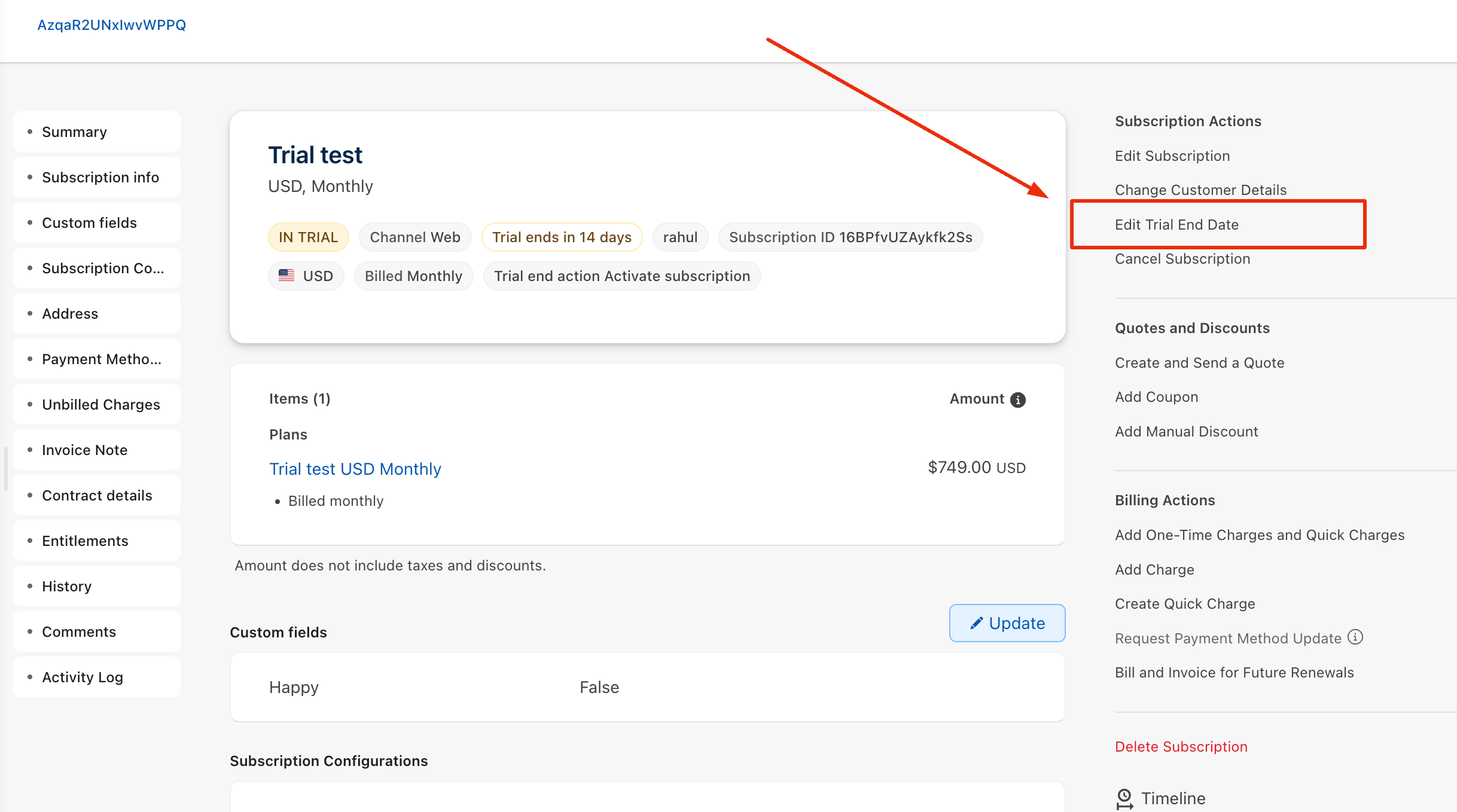
2. From the right panel, select the 'Edit Trial End Date' option:
3. Enter the new Trial End Date & update.
You’ve now successfully changed the trial end date of the subscription.
You can use Change Term End API if you're an API user.